
Piano - Music Keyboard & Tiles
GismartMusic
4.118.39K Reviews
- Version
- 1.75
- Installs
- 100.00M
- Age Rating
- Everyone
Screenshots
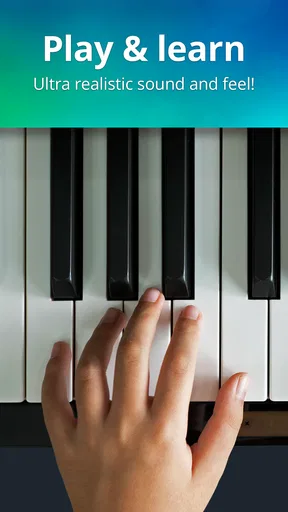
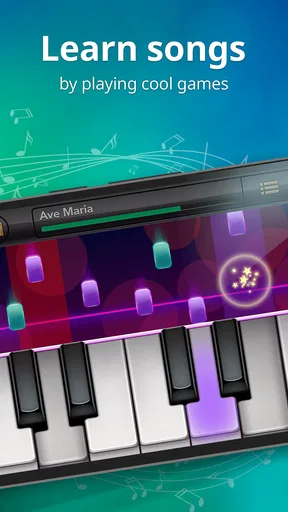
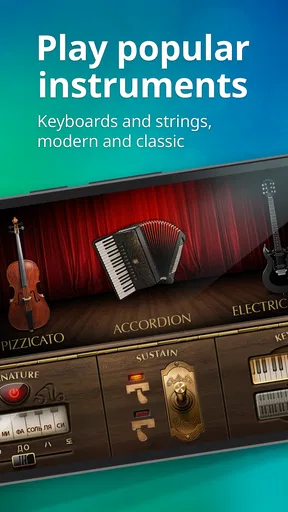
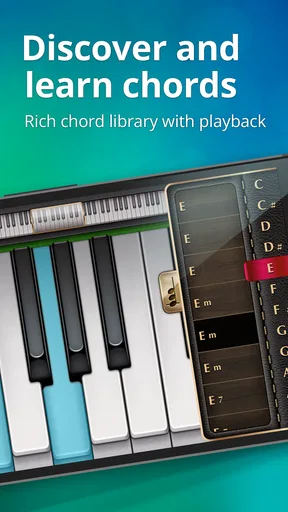
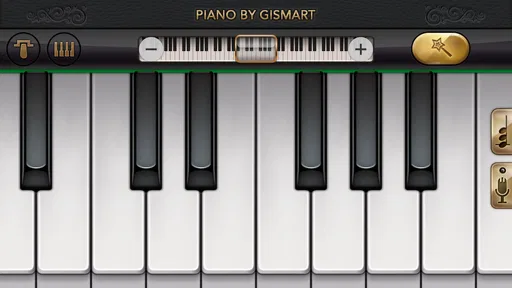
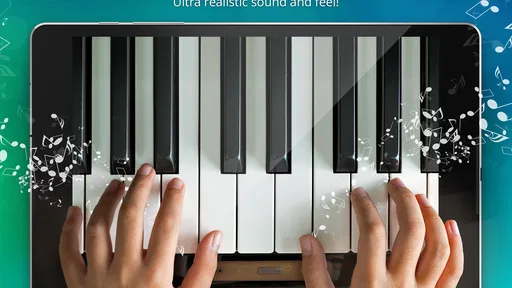
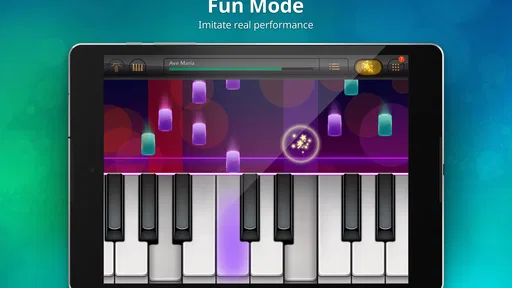
Our Review of Piano - Music Keyboard & Tiles
 Analysis by Appyee
I approach Piano - Music Keyboard & Tiles as a pocket-sized way to interact with music, not as a replacement for a real instrument. That distinction matters: a phone screen can make tapping out notes inviting and convenient, but it cannot give your hands the space or physical feedback of piano keys. For quick play, experimenting with tunes, or enjoying a music game in spare moments, that trade-off can be worthwhile.
What the game is like today
Gismart’s free music game has been around since June 5, 2014, and its current version is 1.75. Its age suggests a product with a long history, while the version number is simply a snapshot of where it stands now; neither tells me on its own what has changed over time. What I can say is that its central appeal is easy to understand: it brings a piano-style keyboard and a tile-based way to play music onto a mobile device.
It has an average rating of 4.1 from around 1.3 million ratings, with about 18,000 written reviews and over 100 million installs. Those figures point to a game many people have tried, but they are not a guarantee that its feel or song selection will suit you. I would treat the rating as a useful starting point, then decide based on whether you want casual tapping, a keyboard to explore, or structured music practice.
The game is free to install and rated Everyone, which makes it approachable for a broad audience. In-app purchases range from $1.49 to $89.99 per item, so I’d be mindful of purchase prompts if a child is using the device. If you are trying it for yourself, it makes sense to explore the basic experience first and consider spending only if a particular option clearly adds value for you.
What the version history can—and can’t—tell you
A release date and current version offer useful context, but they are not a detailed changelog. I wouldn’t assume that version 1.75 introduced a particular mode, fixed a specific issue, or added a certain collection of songs. For someone installing it now, the practical question is less about guessing its history and more about whether the current experience fits the way they want to play.
That caution also applies to claims about regular additions. Music-game libraries and app interfaces can change, but I’d judge what is available in the version on my own device rather than plan around a promised future update. If a particular song, learning aid, or setting is essential to you, check for it in the app before building your routine around it.
How returning players can get more from it
If you already use the game, I’d treat the keyboard and tile play as two different kinds of activity rather than expecting one to substitute for the other. A keyboard-style layout is better suited to trying out notes and simple patterns at your own pace; tiles put more emphasis on timing and following what appears on screen. Switching between those approaches can keep a short session engaging without turning every visit into a score chase.
One useful habit is to decide what you want from a session before opening the game. If you want to relax, choose a song or sound to explore without worrying about performance. If you want a small challenge, focus on keeping a steady rhythm through a familiar section. This makes a phone game feel less like endless tapping and more like a brief, intentional music break.
For anyone hoping to learn piano, I’d use the app as a low-pressure first step, not as the whole learning plan. It can help you become more comfortable following notes and paying attention to timing, but developing technique on a physical keyboard involves things a touchscreen cannot reproduce, such as key resistance and hand position. A real instrument or a more formal lesson tool is the better next step if your goal is to play independently.
Where expectations matter
The small screen is both the convenience and the main compromise. It makes the game easy to carry and start, but the available playing area can feel cramped, especially when you want to use several fingers or explore a wider range of notes. Adjusting the keyboard size, where available, is worth trying early: a larger layout may make notes easier to target, while a smaller one can leave more room for the rest of the interface.
Touch response also depends on the phone or tablet and how you hold it. If a note feels missed, try resting the device on a stable surface and tapping more deliberately before deciding the game is unresponsive. That simple change can make short sessions less awkward, particularly when you are using both hands. For demanding practice where exact timing is central, a dedicated instrument or a more focused music-training app will usually be a better fit.
I would also separate enjoyment from measurable musical progress. Getting better at following tiles can sharpen attention and rhythm in that game, but it does not automatically teach sight-reading, fingering, or full piano technique. If you are choosing it for a child, that distinction is helpful: it can be an entertaining introduction to music interaction, while an adult still needs to guide expectations about what learning a real instrument involves.
For a typical everyday use, imagine waiting for a ride or taking a quiet break between tasks. You can open the game, play for a few minutes, and put it away without setting up equipment or committing to a lesson. That convenience is where it makes the most sense. It is less suitable when you need a silent activity, want uninterrupted practice, or expect a phone keyboard to feel like a full-size piano.
Getting Started with the Keys
Downloading the app was a breeze, and setting it up was even easier. Once installed, Piano - Music Keyboard & Tiles greets you with a clean, intuitive interface. No need to wade through endless menus; everything you need is right at your fingertips. I was impressed by its simplicity, which makes it ideal for both beginners and seasoned musicians alike.
The app offers a variety of modes, from a standard keyboard that mimics a real piano to a tile mode where you can play along with popular songs. Trust me, the moment you start hitting those tiles, you're hooked. It’s addictive and engaging, especially if you’re a fan of rhythm games.
Features Galore
One of the standout features is the vast library of songs available. Whether you’re into classical pieces or the latest pop hits, there’s something for everyone. I found myself scrolling through an extensive list, eager to try my hand at songs I never thought I could play. The app updates frequently, so you’re always in for a fresh experience.
Another cool feature is the ability to record your sessions. It’s perfect for those moments when you nail a difficult piece and want to share it with friends. Plus, there’s a nifty multi-touch function that lets you play chords with ease, giving you a more authentic piano feel.
And let’s not forget the customization options. You can tweak the keyboard size, choose different sound effects, and even alter the theme to suit your mood. It’s these little touches that make the app truly versatile.
The Learning Curve
If you’re a beginner, don’t worry. The app has got your back with its step-by-step tutorials. I found the lessons to be clear and straightforward, breaking down complex pieces into manageable chunks. It’s like having a piano teacher in your pocket, ready to guide you at your own pace.
For those who are more advanced, the app doesn’t disappoint either. The challenge mode lets you test your skills and improve your timing and accuracy. I personally enjoyed pushing myself to hit those high scores, and it’s rewarding to see your progress over time.
Performance and Usability
I tested the app on both Android and iOS, and the performance was seamless across both platforms. The response time was impressive, with minimal latency between touch and sound. It’s crucial for a music app to have this kind of responsiveness, and I’m glad to report that Piano - Music Keyboard & Tiles delivers on this front.
The app also runs smoothly without draining your battery excessively, which is a big plus if you’re planning to use it on the go. I was able to enjoy extended sessions without worrying about my phone dying on me.
Choosing it over other music apps
Compared with a conventional piano-learning app, this game feels more immediately playful: tiles turn a song into a sequence to follow, while a keyboard invites you to tap notes directly. That makes it easier to pick up for a quick diversion than a course built around practice plans. The trade-off is that a dedicated lesson app is usually the stronger choice for a learner who wants a clear curriculum, feedback on technique, or a structured path from beginner to more advanced playing.
Against a physical keyboard, the phone version wins on convenience and loses on room to move. You can explore a melody while away from home, but you should not expect the same touch, spacing, or expressive control. Against other rhythm games, the piano framing gives this one a music-making feel, though anyone who mainly wants competitive timing challenges may prefer a game designed around that narrower goal.
One practical way to get a fair sense of it is to try the same short musical idea in both available styles. Use the keyboard to find a few notes by ear, then try the tile mode for its timing challenge. If the keyboard feels too crowded, test a different size before ruling it out; if the tiles are what keep you interested, enjoy them for what they are rather than treating a high score as proof of piano fluency.
Who will enjoy it, and who may not
I’d recommend it to someone who likes music, wants an approachable way to tap out notes, or enjoys rhythm games and wants a piano theme. It also suits a curious beginner who is not ready to buy an instrument and simply wants to see whether interacting with a keyboard holds their interest. The combination of a casual game and a touch keyboard gives different moods a place to fit.
I’d steer away from it if your main goal is serious piano instruction, precise performance, or learning to read and play music without on-screen guidance. It may also frustrate players who dislike touch controls or find small targets uncomfortable. In those cases, a physical keyboard, a larger tablet, or a more focused teaching tool is a more sensible choice than trying to force a phone screen to do everything.
Parents should consider both the Everyone age rating and the in-app purchase range when deciding whether a child can use it freely. I’d look through the purchase options together and set device-level purchasing protections if needed. That keeps the game’s music appeal separate from an accidental purchase, and it gives a child a clear understanding that optional spending is not required just to enjoy a short session.
A sensible way to try it
Start with a brief session rather than judging the whole experience from the first few taps. Explore the keyboard, try a tile song, and check whether the controls feel comfortable on your device. Then decide which part you would actually return to. This approach helps answer the important question—whether you enjoy the way this particular game turns music into touch interaction—without assuming you need every mode or option.
If you are using it as a stepping stone toward piano, pair it with a realistic next step: listen closely to a melody, repeat a simple pattern, and notice whether you want to learn more beyond the screen. If you only want entertainment, there is no need to turn every session into a lesson. Keeping those aims separate helps you get value from the game without expecting it to replace something it was not designed to be.
Final Thoughts
In a nutshell, Piano - Music Keyboard & Tiles is a fantastic app that brings the joy of playing the piano right to your smartphone. Whether you’re killing time or seriously honing your skills, it offers something for everyone. The combination of a user-friendly interface, diverse features, and engaging gameplay makes it a must-try for music lovers.
So, if you’ve ever dreamt of playing the piano or simply love music, give this app a try. You might just find yourself becoming the next Mozart, or at the very least, having a ton of fun trying!
My recommendation comes with one clear boundary: think of it as a playful music companion, not a shortcut to becoming a pianist. Its appeal is strongest when you want a quick, accessible way to engage with songs and touch-based play, and weakest when you need a full instrument or a dependable course of study. If that balance matches what you want, it is an easy game to sample and decide for yourself.
Privacy and Permissions
See what permissions an app requests and how it handles your data.
- Device & app history
- retrieve running apps
- Photos/Media/Files
- read the contents of your USB storage, modify or delete the contents of your USB storage
- Storage
- read the contents of your USB storage, modify or delete the contents of your USB storage
- Wi-Fi connection information
- view Wi-Fi connections
- Other
- view network connections, full network access, control vibration, prevent device from sleeping, Google Play license check, read Google service configuration
Verdict
Strengths of Piano - Music Keyboard & Tiles
- Intuitive interface for beginners.
- Wide variety of music genres.
- Real-time feedback on performance.
- Customizable keyboard layouts.
- Offline play available for practice.
Limitations of Piano - Music Keyboard & Tiles
- Ads can be intrusive at times.
- Limited free song selection.
- In-app purchases can be pricey.
- Requires regular updates for smooth play.
- Occasional lag on older devices.
Other Releases by Gismart
View All
Real Guitar - Music Band Game
Music3.1

Drum Pads - Beat Maker Go
Music & Audio3.0

VIP Guard
Arcade4.7

Piano - Play & Learn Music
Music4.2
Similar Picks in This Category
View All
Tiles Hop Music & Ball Game
AMANOTES PTE. LTD.4.3

Magic Tiles 3™ - Piano Game
AMANOTES PTE. LTD.4.6

Real Piano
Bilkon3.7

Piano Game: Classic Music Song
Dream Tiles Piano Game Studio4.0

Smash Colors: Music Ball Rush
BADSNOWBALL HONGKONG LIMITED4.2

Piano Music Go-EDM Piano Games
Joy Journey Music Games4.5
You May Also Like
View All
Frequently Asked Questions
What features does Piano - Music Keyboard & Tiles offer?
Piano - Music Keyboard & Tiles provides a range of features including a virtual keyboard with customizable layouts, various sound effects, and the ability to play along with popular songs. The app also includes a tile-based game mode where users can challenge themselves with rhythm-based gameplay. Additionally, it offers tutorials for beginners and practice modes for advanced users.
Is Piano - Music Keyboard & Tiles suitable for beginners?
Yes, the app is designed to cater to all skill levels. Beginners will find the tutorials and guided lessons particularly helpful. These features provide step-by-step instructions and practice exercises to develop basic skills. The intuitive interface and adjustable settings also make it easy for new users to navigate and learn at their own pace.
Does the app require an internet connection?
Piano - Music Keyboard & Tiles can be used offline for most of its basic features, such as the virtual keyboard and pre-loaded songs. However, an internet connection is required to access additional downloadable content, updates, and online leaderboards. Some advanced features may also need connectivity to function properly.
Are there any in-app purchases in Piano - Music Keyboard & Tiles?
Yes, the app includes in-app purchases. While it offers a wide range of free features, users can purchase additional song packs, premium sound effects, and an ad-free experience. These purchases are optional but can enhance the overall experience for those looking to expand their musical library or remove ads.
How can I customize my experience in the app?
Customization is a key feature of Piano - Music Keyboard & Tiles. Users can adjust the keyboard layout, choose different instrument sounds, and set the difficulty level of the tile game. The app also allows personalization of themes and backgrounds, providing a visually appealing and tailored user experience. Regular updates introduce new options for further customization.
Play our best games!


